Event tracking plan
An event tracking plan is a shared spec of which user actions a product logs, what each one is named, and what properties it carries, so analytics from different teams and tools count the same thing the same way.
An event tracking plan is a written spec, usually a versioned spreadsheet, that lists every user action an app tracks, its event name in a fixed object-action form, its properties, and who owns it. Segment, Amplitude and Mixpanel each document the practice under a different name. A team checks new tracking against the plan before it ships, so later reports compare the same thing.
- Origin
- Product and data analytics practice (no single inventor); documented by Segment, Amplitude, Mixpanel and Google Analytics, 2010s-2020s
- Level
- 201 · Tool
- Fits
- Startup, Scale-up
- Time to apply
- A day to draft a first plan for one product area; longer to get sign-off and instrument it
- What you need
- one person named as the plan's owner · the handful of user actions that actually matter to this quarter's decisions · a way to check new tracking against the plan before it ships
An event tracking plan is a written spec of which user actions a product logs, what each one is named, and what details it carries, kept as one shared, versioned document instead of left to each engineer’s own judgment. No single person or company invented it. Segment calls the document a Tracking Plan and built a product, Protocols, around enforcing it against live data. Amplitude calls the naming system underneath it a taxonomy. Mixpanel calls its own data dictionary Lexicon. Google Analytics 4 takes a narrower version of the same idea: a fixed list of recommended events with predefined names and parameters. Whatever the vendor calls it, a team that instruments tracking without one runs into the same failure: the same user action logged three different ways by three different engineers, counted as three different things in every report that follows.
Object and action, nothing else
An event name has exactly two working parts, a generic object and a past-tense action, and nothing else changes between one event and the next. Segment’s documentation recommends Title Case for event names and describes the pattern as Object, for example Blog Post, plus Action, for example Read. Amplitude’s guidance uses the same idea with different casing, a noun plus past-tense verb pattern such as song_played, and warns that its own tool logs Song Played and song played as two separate events, a distinction that means nothing to a person skimming the report and everything to the software counting each line on its own.
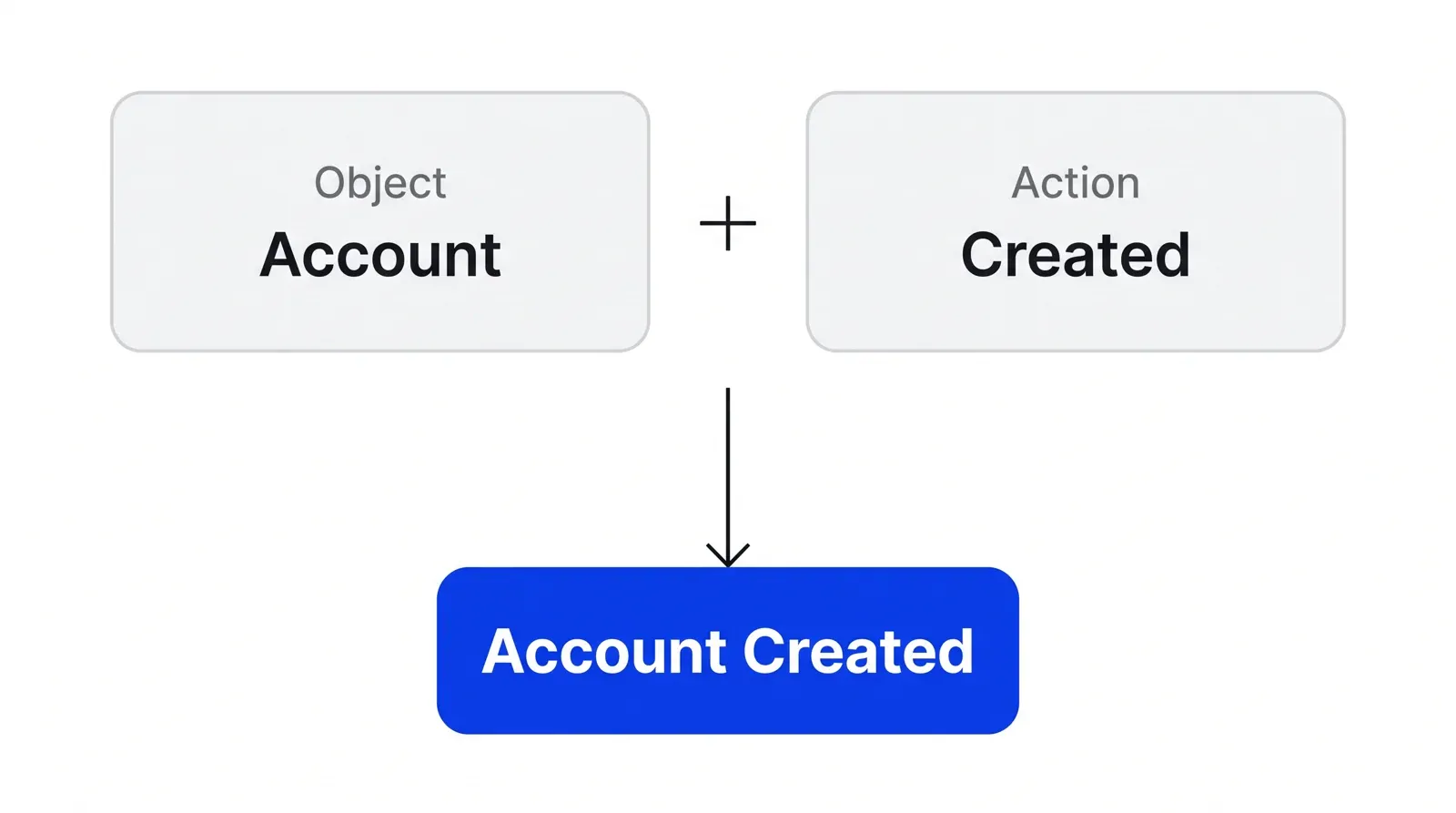
The casing convention matters less than picking one and enforcing it everywhere. Letting Title Case and snake_case both exist for the same action, in two different corners of the codebase, is what breaks a plan.
Properties carry the specific detail
Keep the event name generic and add anything specific as a property on that same event. Segment’s own guidance gives this example: instead of naming an event Business Tier Workspace Created, log Workspace Created with a property account_tier: "business". The event stays one line a report can count, and the detail lives in a field a report can filter by.
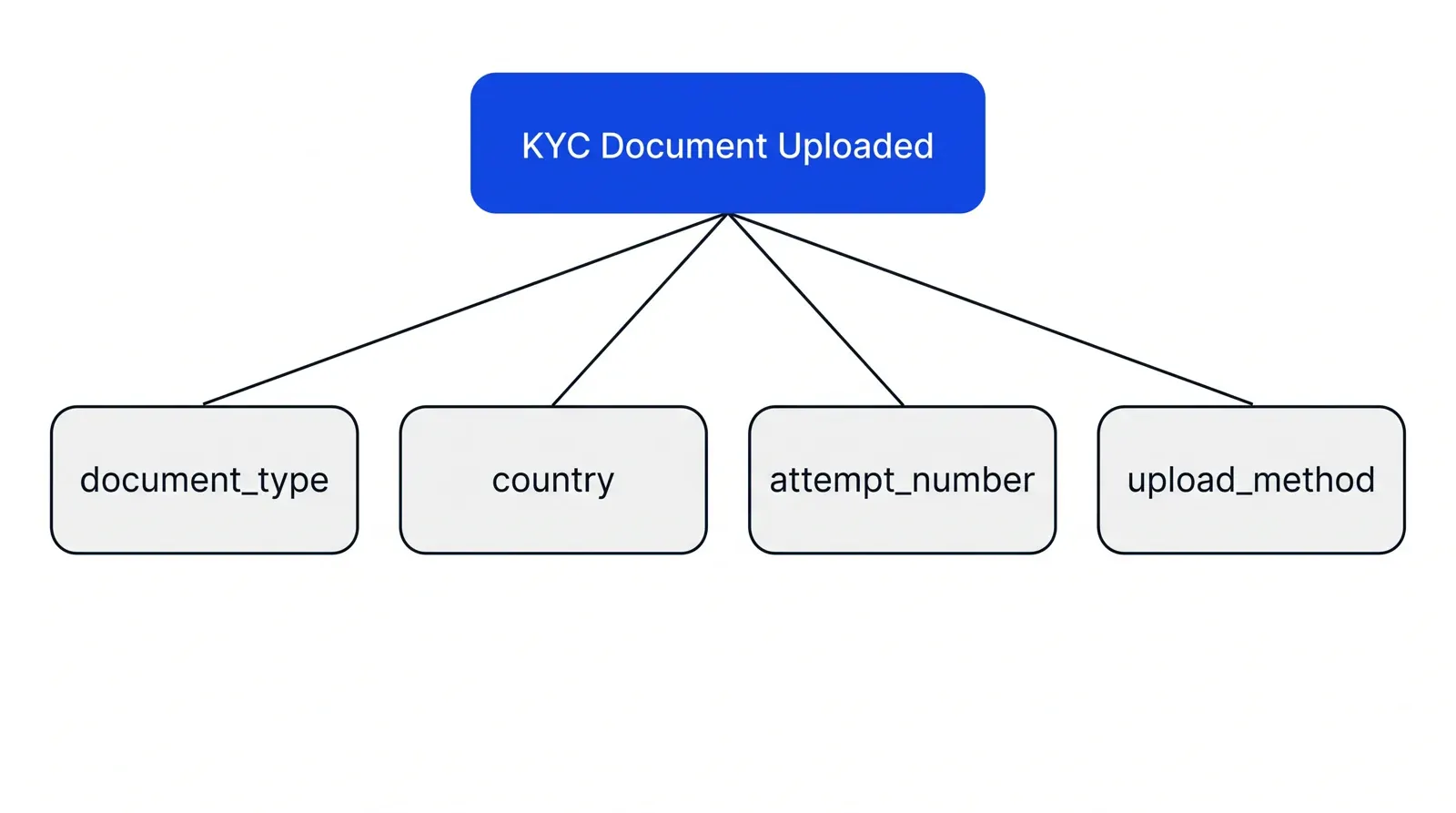
The same discipline applies to the property keys themselves. Segment’s guidance warns against dynamically generated keys, feature_1: "true", feature_2: "false", because each new key becomes a new column in every downstream tool, cluttering reports with fields nobody defined on purpose.
One owner, one version, one shared document
A tracking plan needs exactly one person who approves what gets added to it. Snowplow’s documentation defines a tracking plan as “logical groupings of related business events with defined ownership,” and Mixpanel’s onboarding guidance ties a working plan to a governance step someone owns before a wider rollout. Before dedicated tools existed, Segment’s own account of the practice notes that tracking plans typically lived in a spreadsheet, serving as “a project management tool to align an entire organization around data.” That spreadsheet, or its modern replacement, still needs the two things a code repository has: a version number and a change log, so a report built in March can be checked against the plan that was live in March.
A tracking plan and a data dictionary sound like the same document and answer different questions.
| Tracking plan | Data dictionary | |
|---|---|---|
| Written | Before or during instrumentation | After events are already flowing |
| Answers | What should be tracked | What is actually being tracked |
| Example tool | Segment Protocols, a shared spreadsheet | Mixpanel Lexicon |
| Updates when | A new feature ships | Someone documents existing data |
Some teams keep one document that plays both roles. Others keep a plan and a dictionary separately and reconcile the two on a schedule.
Check it before it ships
A new or changed event should be checked against the plan before it reaches production. Segment’s Protocols product validates live events against the plan and flags a violation the moment one doesn’t match, catching drift before it ever reaches a dashboard. Mixpanel’s onboarding guidance calls for quality-assurance testing and an audit of the implementation ahead of a wider release. Google Analytics 4 offers a different version of the same check: DebugView and the Realtime report, where a new event’s parameters can be watched as they arrive, rather than waiting for tomorrow’s report to reveal something is missing.
The stakes echo research on experiments built from the same kind of logged events. Kohavi, Tang and Xu’s book on trustworthy online controlled experiments, and the peer-reviewed research on sample ratio mismatch, a gap between how many users an experiment expected in each group and how many it logged, both describe the same underlying problem: a number means little once nobody can say for certain what it counted. A tracking plan is the cheapest place to catch that problem, before it reaches a funnel, a dashboard, or a test result someone is about to act on.
That is where a tracking plan pays for itself. Funnel analysis needs every step logged under one name across the whole sequence; a plan is what keeps “Payment Started” from becoming “payment_started” halfway through and silently breaking the step-to-step count.
Consent has to happen before the event fires
Most analytics events in the EU and UK need a visitor’s consent before they can be logged. The ePrivacy Directive requires consent to store or read information on a user’s device, and the European Data Protection Board’s 2024 guidelines confirm this covers cookies, pixels and SDKs used for analytics, not only advertising. The UK’s Information Commissioner’s Office applies the same rule under PECR, noting that a cookie that is merely helpful rather than strictly necessary for the service a user asked for still needs consent. A tracking plan should record, next to each event, whether it depends on that consent and what happens to the plan’s coverage when a visitor declines it. This section summarizes the general rule as public guidance describes it; it isn’t a legal review of any specific product.
None of this replaces judgment about what to track in the first place. A plan listing fifty events nobody asked a business question about is still clutter, just clutter with consistent names. Pair it with the reporting it was built to feed, reviewed on the same cadence as the Marketing-Operational System work it supports, and a report from six months ago stays comparable to a report from this week, built from the same definitions both times.
How to apply Event tracking plan, step by step
- List the actions that matter. Start from the business questions a team actually needs answered, not from every click that could be logged. Map each question to the one or two user actions that answer it, a signup, a payment, a booking confirmed, and stop there for the first pass.
- Name each event as an object plus an action. Pick one order, object then action, and one casing style, then hold every event to it. 'Account Created' and 'account created' are two different events to most analytics tools, even though a person reading the report assumes they're the same thing.
- Put the detail in properties, not the event name. Keep the event name generic and add anything specific, a plan tier, a document type, a channel, as a property on that same event. An event name that changes with every variant multiplies into dozens of near-duplicate lines nobody can report on cleanly.
- Assign one owner and a shared, versioned document. Give one person the job of approving additions and changes, and keep the plan somewhere every team touching data can see, a spreadsheet or a tracking-plan tool, with a version number and a change log attached to it.
- Check new tracking against the plan before it ships. Review a new or changed event against the plan in code review, or validate it automatically against a schema, before it reaches production. An event that slips through unreviewed is the one that quietly breaks a report weeks later.
- Feed the plan into the reports it was built for. Point funnel analysis, dashboards and experiments at the events the plan defines, and update the plan the moment the product changes. A plan that never gets reread drifts out of sync with what the product actually does.
Examples
A fintech app's KYC events
Illustrative. A fintech app names its identity-check flow as one owner-approved sequence, 'Identity Check Started', 'Identity Check Submitted', 'Identity Check Approved', each carrying a document_type and provider property instead of a separate event per document type, so the compliance team's dashboard and the product team's funnel read the same three-step flow instead of nine near-duplicate events.
A clinic's online booking events
Illustrative. A clinic's booking widget tracks 'Appointment Slot Viewed', 'Appointment Requested' and 'Appointment Confirmed', each with a provider and appointment_type property, owned by the office manager who signs off on any addition, so a slow week shows up as fewer 'Appointment Requested' events rather than a mix of differently named events split across two clinics' code.
When to use it
Use it as soon as more than one person touches tracking code, product, engineering or marketing, or once a report needs to compare the same action across releases or platforms. Build it before instrumentation starts, not once a dashboard already looks wrong.
When not to use it
Skip formalizing a plan for a single-person prototype with one or two ad hoc events; the overhead outweighs the benefit until there's a second contributor or a second report depending on the data. It also doesn't replace deciding which questions matter first, since a plan without a business question behind each event turns into logging everything and analyzing nothing.
Common mistakes
- Letting each team name the same action its own way, 'Sign Up', 'signup', 'User Signed Up', so one funnel step ends up split across three unrelated lines in the report.
- Creating a new event for every variant of an action instead of a property, so 'Business Tier Workspace Created' and 'Free Tier Workspace Created' fragment what should be one 'Workspace Created' event with an account_tier property.
- Shipping tracking changes without checking them against the plan first, so a renamed property or a dropped field breaks a dashboard weeks before anyone traces it back to the release that caused it.
- Treating the plan as a one-time document instead of a versioned one, so it still describes a product screen that was redesigned two releases ago.
- Firing analytics events before a visitor has given the consent the law requires for them, turning a data-quality problem into a compliance one.
FAQ
What is an event tracking plan?
An event tracking plan is a written spec, usually a versioned spreadsheet, listing every user action a product logs, that action's event name, its properties, and who owns the definition. Segment, Amplitude and Mixpanel each document the same practice under their own tools, so a new event gets checked against the plan before it ships instead of invented on the spot.
What should be in a tracking plan?
Each row names one event in a fixed object-action form, lists its properties and their expected types, states who owns that definition, and records a version. Segment's documentation recommends starting from a short list of events tied to real business objectives rather than logging every possible click.
Who should own a tracking plan?
One named person or team, not a rotating group. Mixpanel's onboarding guidance ties a working plan to an established governance step that someone owns and audits before a wider rollout. Without one owner, naming drifts and duplicate events appear before anyone notices a report looks wrong.
Do analytics events need cookie consent under GDPR?
Usually yes. The EU's ePrivacy rules, confirmed by the European Data Protection Board's guidelines, require consent before storing or reading information on a user's device for analytics, not only advertising. The UK's ICO applies the same rule under PECR. This describes the general rule, not a legal opinion for a specific product or jurisdiction.
How is a tracking plan different from a data dictionary?
A tracking plan is written before or during instrumentation to define what should be tracked. A data dictionary, Mixpanel calls its version Lexicon, documents what is already flowing into the tool, after the fact. Some teams keep one document for both; others keep both and reconcile them on a schedule.
Sources
- Twilio Segment, Protocols Tracking Plan
- Twilio Segment, Data Collection Best Practices
- Twilio Segment, Best Practices for Event Calls
- Twilio, Naming conventions: why you need them for clean data
- Amplitude, Plan your taxonomy, Amplitude Docs
- Amplitude, What Are the Components of Event Data
- Mixpanel, Lexicon: Describe your events and data using a dictionary, Mixpanel Docs
- Mixpanel, Establish Data Governance, Onboarding Playbook
- Mixpanel, Build Your Tracking Strategy, Onboarding Playbook
- Snowplow, Introduction to tracking design, Snowplow Documentation
- Avo, Naming conventions, Avo Docs
- Google, [GA4] Recommended events, Analytics Help
- Google, [GA4] Event parameters, Analytics Help
- Google, About events, Analytics Help
- Google for Developers, Set up events [GA4]
- Google for Developers, Set up event parameters [GA4]
- Ron Kohavi, Diane Tang, Ya Xu, Trustworthy Online Controlled Experiments: A Practical Guide to A/B Testing, Cambridge University Press, 2020
- Aleksander Fabijan, Jayant Gupchup, Somit Gupta, Jeff Omhover, Wen Qin, Lukas Vermeer, Pavel Dmitriev, Diagnosing Sample Ratio Mismatch in Online Controlled Experiments, KDD 2019
- MIT Sloan Management Review, How to Get Proactive About Data Quality
- European Parliament and Council, Regulation (EU) 2016/679 (GDPR), Article 6, Official Journal via EUR-Lex
- European Parliament and Council, Directive 2002/58/EC (ePrivacy Directive), Article 5, Official Journal via EUR-Lex
- European Data Protection Board, Guidelines 2/2023 on the Technical Scope of Article 5(3) of the ePrivacy Directive, v2.0
- Information Commissioner's Office (ICO), Cookies and similar technologies, Guide to PECR
Last updated Sep 25, 2026